DDoS Protection
All our hosting comes with automated protection from attackers, so that your servers are never effected.

Instant setup. Full file access. Backups. Community server support.
We're rated 4.6 out of 5 stars on TrustPilot!

Palworld is an open world survival crafting game where you explore the Palpagos Islands, catch creatures called Pals, build bases, automate production, fight bosses and generally cause a sensible amount of chaos with friends. It is easy to describe it as creature collecting with guns, but the game is much more useful than that when you actually play it for a few nights.
You start with the basics: food, tools, shelter and the first Pals you can catch without getting flattened. From there, it turns into a proper survival loop. Pals can fight with you, gather resources, work on your base, farm, craft, generate power, mine, transport items and help push your world forward while the group explores further out.
The big appeal is how much of the game works better with other people. One player might be building and sorting production, another might be hunting bosses, someone else might be breeding better Pals, and another person is probably doing something unwise with explosives. A dedicated Palworld server keeps that shared world online so everyone can keep playing without relying on one person hosting from their PC.
Palworld 1.0 gives players a proper reason to jump back in. Sunreach, the World Tree, new Pals, new progression and large base changes make fresh worlds and returning saves feel worthwhile again. If you want to play through that with a regular group, a hosted Palworld server is the cleaner way to do it.
With our Palworld server hosting you get fast setup, full file access, backups, server setting control and support if something goes sideways after an update. You can run a small private world for friends, open it up as a community server, upload an existing save, change rates and rules, or keep backups before bigger update sessions.
A local co-op host is fine for a quick session, but Palworld 1.0 has enough going on that a proper server makes more sense. The world stays online, players can join without waiting for the host, and you can keep control of settings, saves, backups and community access.
A hosted server is also cleaner if you want to run a Palworld community. You can set a password, tune the config, upload a world, back it up before updates and keep everyone on the same version without passing files around.
Watch the official Palworld 1.0 launch trailer below for a quick look at what the full release adds.
For more information about Palworld itself, check the Steam page.

All our hosting comes with automated protection from attackers, so that your servers are never effected.

The very second we receive payment for your order your services are up and ready for you to start using them!

You can enable mods on all of our game servers, just follow one of our easy guides and they're good to go!

We use only the best hardware for our game hosting, utilizing powerful processors, gigabit uplinks and SSD storage.

Fast and friendly support team, here anytime you need help from us. Contact support.

Our game servers are powered by TCAdmin which gives you a fast and easy to use experience!
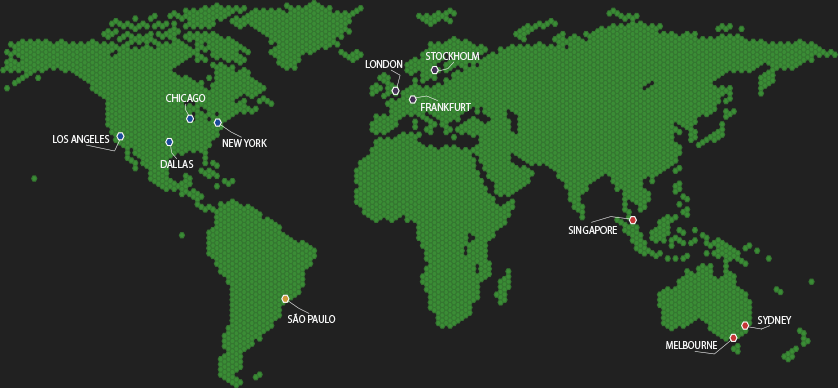
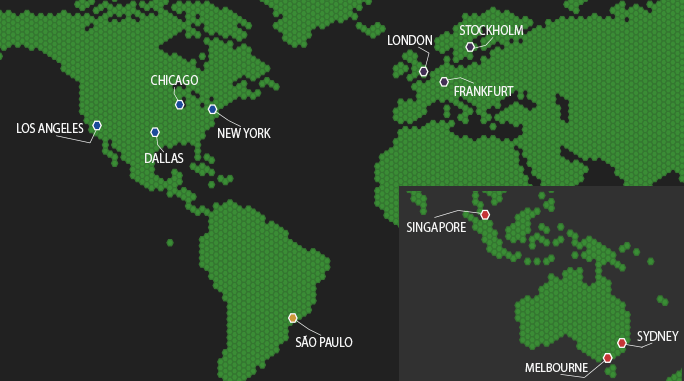
Choose a server location that is closest to your target audience for optimal performance.
Answers for Palworld 1.0 servers covering community setup, settings, saves, updates, admin, mods and backups.