PRIVATE MINECRAFT WORLDS
Minecraft Server Hosting
Host a Minecraft world for your group. Build, explore, add plugins or modpacks, and keep the server online without relying on one player to host it.


Coal
- DDoS protection
- One-click modpacks
- Backups and file access
- Vanilla Minecraft only

Iron
- DDoS protection
- One-click modpacks
- Backups and file access
- Light plugins or small packs

Gold
- DDoS protection
- One-click modpacks
- Backups and file access
- Small modpacks

Lapis
- DDoS protection
- One-click modpacks
- Backups and file access
- Modpacks with headroom
Game overview
What is Minecraft?
Minecraft Chaos Cubed is now available! Spin up your own server with the latest update and explore the new caves, blocks, and cube chaos. For more details and tips, check out our Minecraft Chaos Cubed update guide.
We're now offering one-click installation on your Minecraft Server for Tunnel Rats!
It's an epic sandbox game about placing blocks and going on adventures!
Explore and survive in infinitely generated worlds of wide open terrain, with a range of different biomes, enemies, dungeons, and endless possibilities. You can explore without being told where to go, build epic dirt mansions or dig a hole to hide from the mobs in. Everything that happens is down to the player.
There are two main game modes: Survival, where you must explore the world, fight enemies, find food, build a house; and Creative, where you have unlimited resources and get to build anything your mind can imagine.
Almost every single block in the world can be destroyed by mining, collected, and combined in a crafting table; which creates new blocks, armour, tools, and even machines.
On the Java Edition of Minecraft, there is a large modding community, with vast amounts of additional content you can install on your server. We currently have over 800 one-click installable modpacks on our control panel, and you can change anytime. If something you want to play is not listed, tell us by shooting in a ticket! We'll get that installed on there for you.
Don't play on the Java Edition? No problem! On our service, we also provide access to run the Bedrock version on our Minecraft Server Hosting, so no matter what device you're playing on, we've got you!
Want to find out more about Minecraft? Head over to the official Minecraft website by going to Minecraft.net.
Take a First Look at the Next Minecraft 26.2 Update
Watch the official teaser for the next Minecraft update and see what Mojang has started showing off so far.
Included Server Features
Easy to use Control Panel
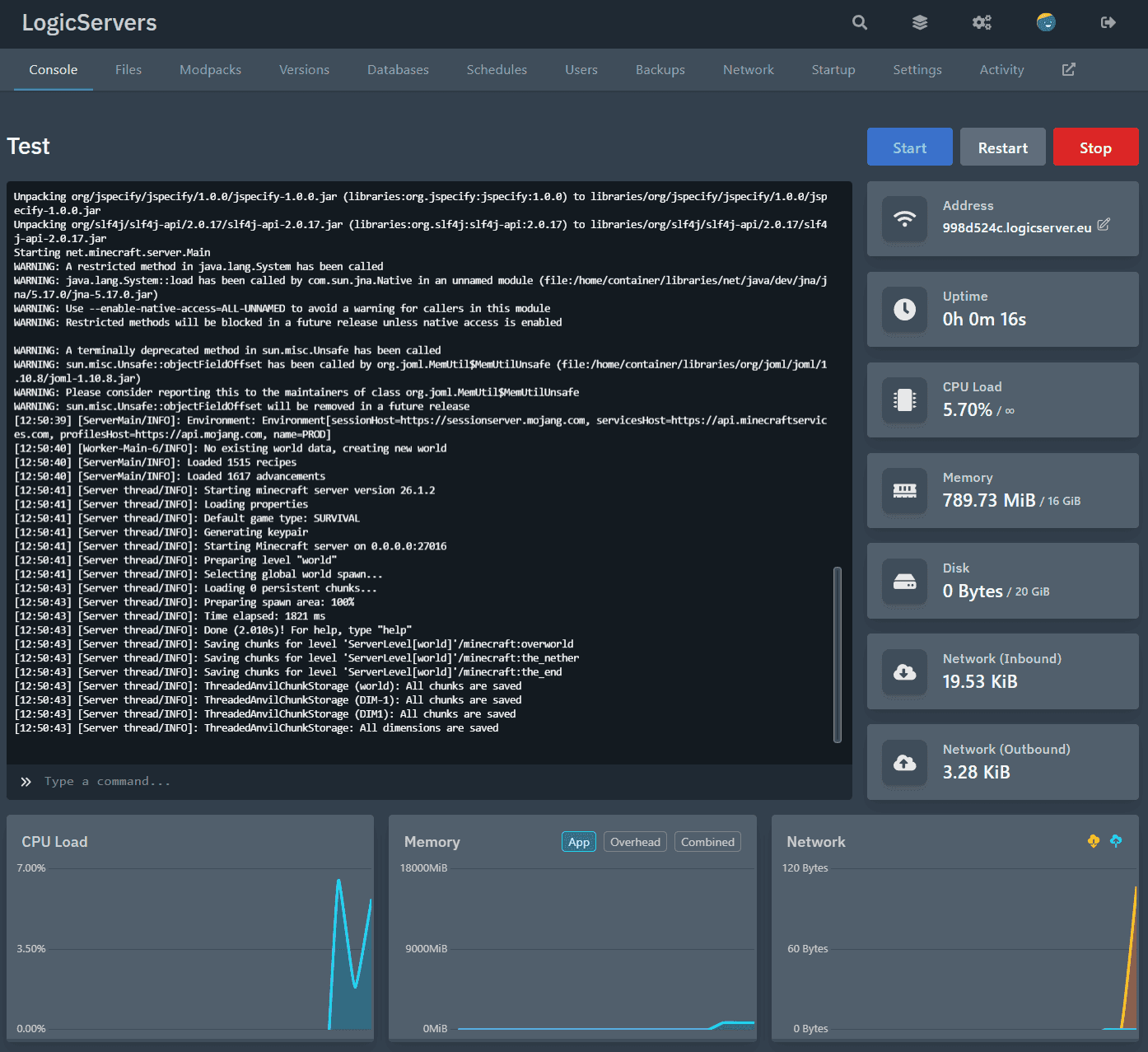
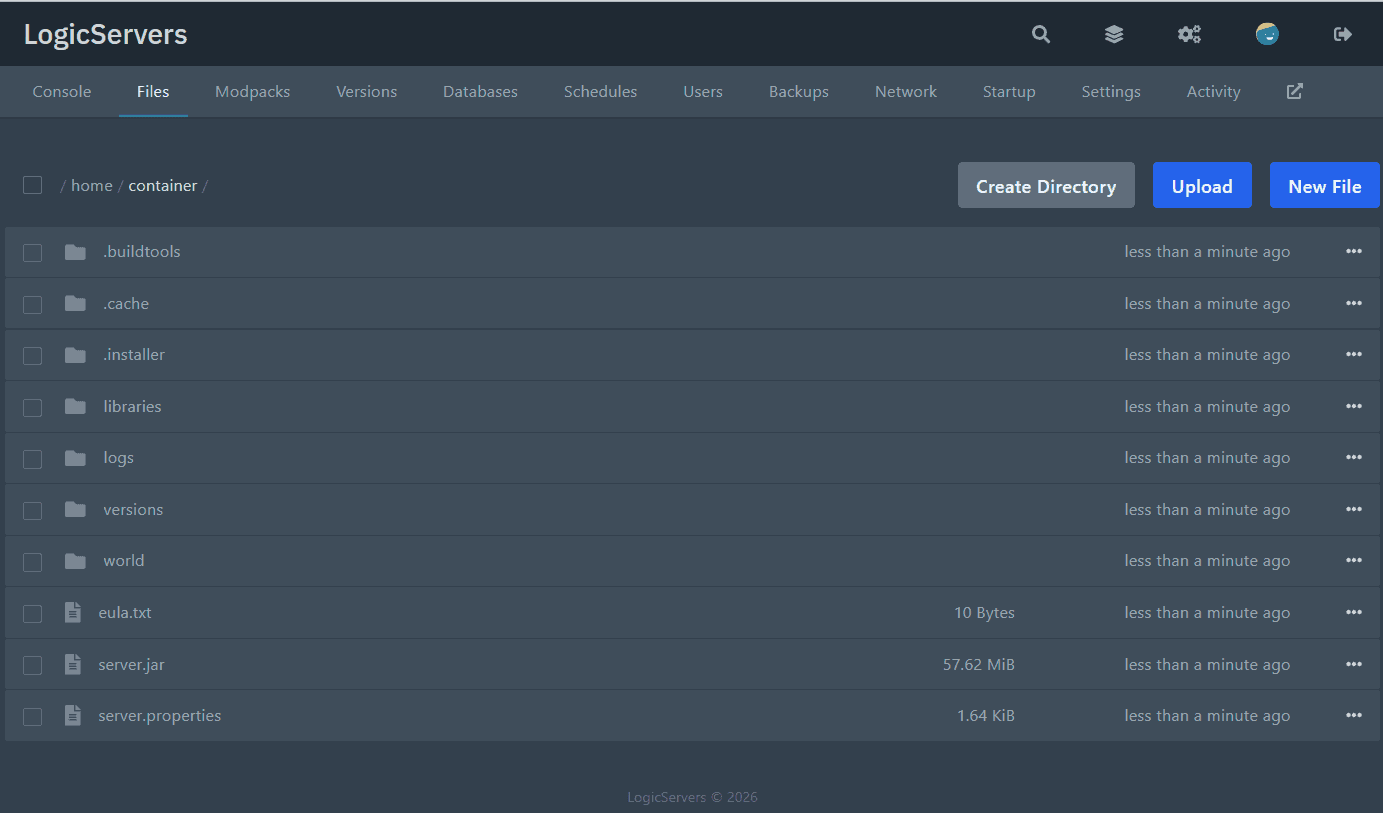
Manage the day-to-day work from one place: live console, files, modpacks, versions, databases, schedules, backups, startup options and network tools.
Versions
Install the server software you want
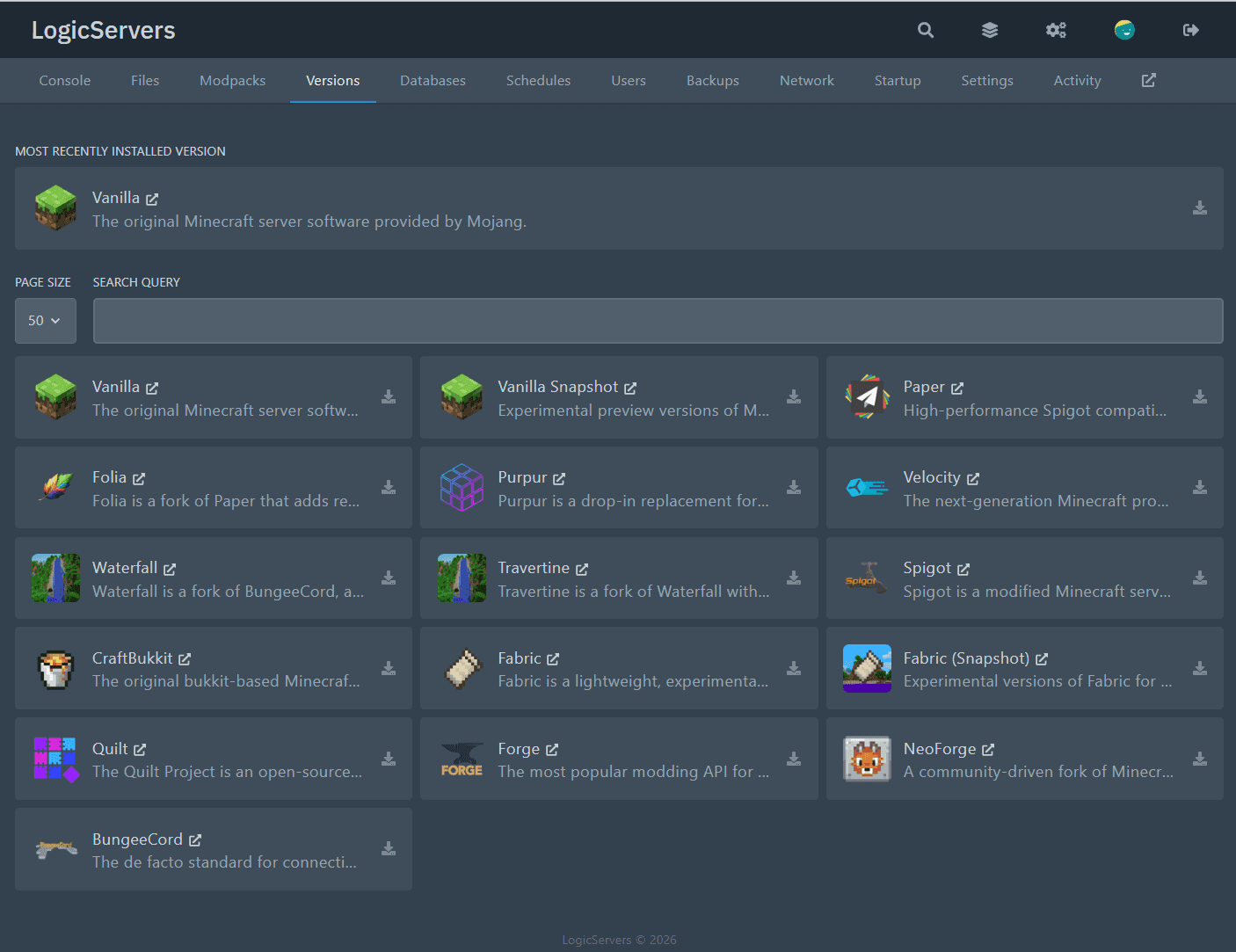
Pick from popular jar installers, mod loaders, snapshots, proxies, and Bedrock options from the panel. You can switch anytime, and if what you need is not listed you can install it manually or open a ticket and we can install it for you.

A high-performance plugin server for Java Edition, commonly used for survival, community, and public servers that need better performance than Vanilla.

A configurable Paper fork with extra gameplay options and server tweaks, ideal if you want plugins plus more control over default behaviour.

The official Minecraft server from Mojang, best if you want the standard survival experience without plugins or mod loaders.

A lightweight Java mod loader used for many modern mods and modpacks, especially if you want faster updates and a smaller modding layer.

The classic Java mod loader used by many major modpacks, ideal if you want broad compatibility with established Forge mods.

A long-running plugin server for Java Edition that improves performance over Vanilla and supports Bukkit and Spigot plugins.

A Paper-based server focused on region-based multithreading, aimed at larger or more demanding Java servers that want to push performance further.

A newer Forge-style Java mod loader maintained by the NeoForged team, used for modern modded setups built around the NeoForge ecosystem.

A community-driven Java mod loader related to Fabric, designed for modern modding with its own ecosystem and compatibility focus.


The official dedicated server for Minecraft: Bedrock Edition, best if you want the standard Bedrock experience on mobile, console, or Windows clients.

A Bedrock server written in PHP, commonly used for custom gameplay, plugins, and lightweight Bedrock community servers.

An extended Nukkit-based Bedrock server with additional features, aimed at plugin-driven Bedrock servers that want more flexibility.

A Java-based Bedrock server platform that adds plugin support and customisation beyond the official Bedrock dedicated server.

A Bedrock Edition server project focused on modern plugin-based server development and more customisable Bedrock server setups.

A Bedrock proxy based on the Nukkit ecosystem, used when you want to connect multiple Bedrock servers into a shared network.
Modpacks
Find a modpack and install it from the panel
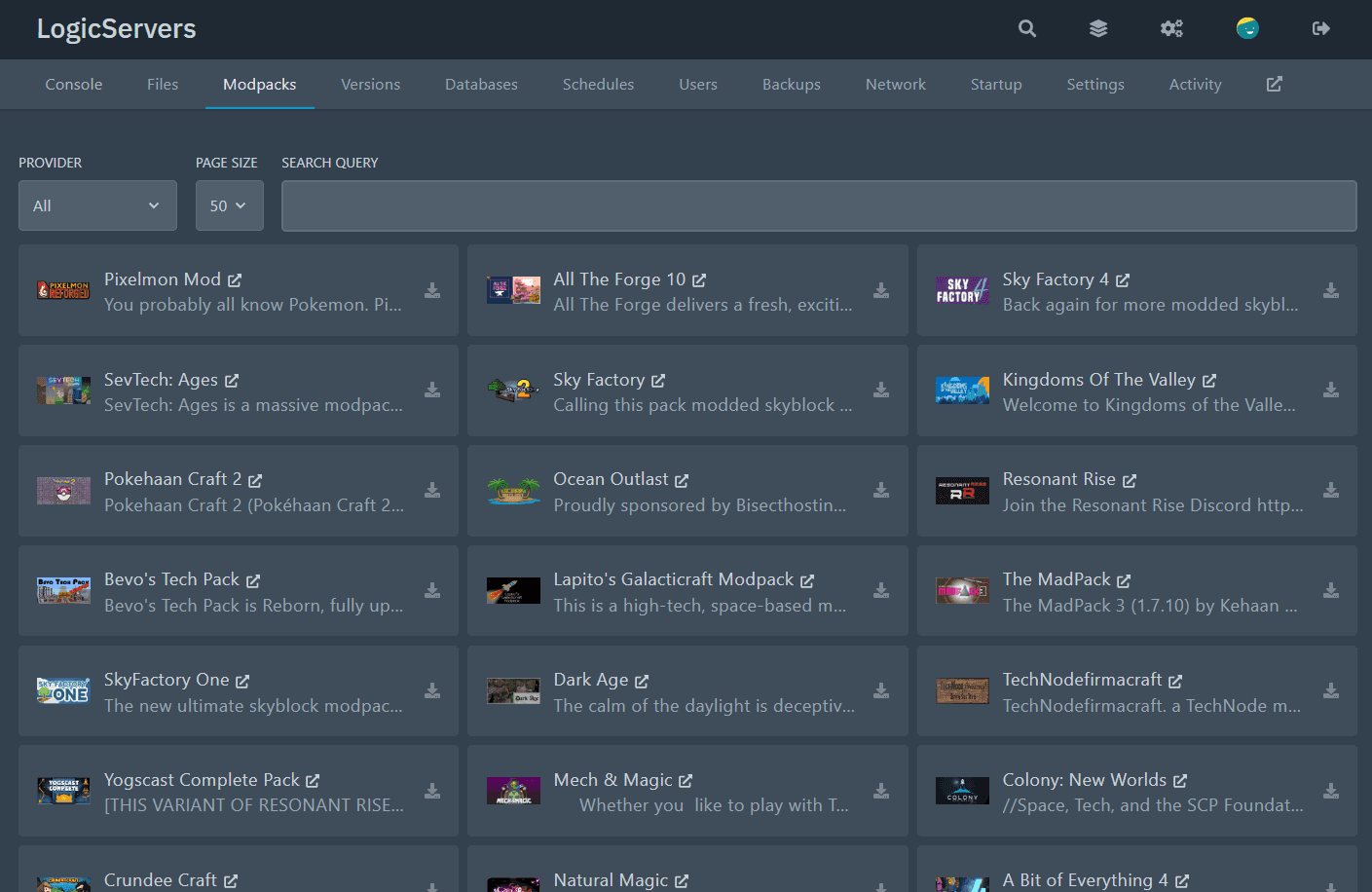
Choose from 800+ one-click modpacks, switch packs whenever you like, and skip the manual setup. We support major modpack sources plus community installs, and if something is missing you can install it yourself or open a ticket and we can help.
800+
One-click modpack installers available on the panel. Switch packs anytime.
5+ sources
Including CurseForge, ATLauncher, Feed The Beast, Modrinth and more!
Need a different pack?
If the modpack you want is not listed, you can install it manually or open a ticket and we can install it for you.

A Bit of Everything 4
ATLauncher

Adrenaline
Modrinth

月亮工厂MCF ã€Moon Create factory】
Modrinth

After The Nukes
CurseForge

Aged
Modrinth
![All in One [Modded One Block]](/_ipx/w_96&q_80/https://media.forgecdn.net/avatars/thumbnails/342/91/256/256/637485703554418199.png)
All in One [Modded One Block]
CurseForge

All of Create
CurseForge

All The Forge 10
ATLauncher

All The Forge 9
ATLauncher

All the Mods 10 - ATM10
CurseForge

All the Mods 10: To the Sky ATM10SKY
CurseForge

All the Mons - ATMons
CurseForge

Amnesia
ATLauncher

AMPZ REBORN
ATLauncher

Arcadia Echoes Of Power V2
CurseForge

Arcane Carnage
Technic

ArdaCraft
Modrinth

AstroBlock
ATLauncher

Augmented Triad
ATLauncher

Backrooms: Found Footage
Modrinth

BattleArmory TACZ
Modrinth

Better Adventures+
CurseForge

BETTER FANTASY - Overture
CurseForge
![Better MC [FABRIC] - BMC2](/_ipx/w_96&q_80/https://cdn.modrinth.com/data/shFhR8Vx/a19c2bcb51d38f32f138d3607e91cb2b7b8e387f_96.webp)
Better MC [FABRIC] - BMC2
Modrinth
24 of 212 packs
Scroll to load more
Our Server Locations
Choose a server location that is closest to your target audience for optimal performance.
London
Frankfurt
Stockholm
New York
Dallas
Chicago
Los Angeles
Sao Paulo
Singapore
Sydney
Melbourne
Why choose LogicServers?
Get a hosted Minecraft server with panel access, automated network protection and support around the service. It is for groups that want the server online without running the machine themselves, while still having control over the settings, files and supported mods or plugins.
Instant setup
Order, pay and the server is provisioned automatically, ready for you to configure from the control panel.
DDoS Protection
Automated network protection is included with our game servers, so common attacks are filtered before they become your problem.
Control panel
Use the game panel for console access, files, configuration, backups and common server actions from your browser.
Mod support
Use supported mods, plugins and custom files where the game allows it. If a one-click option is not listed, you can still work with the server files directly.
Support when needed
If you get stuck with setup, config, files or an order question, our support team can help without treating every server like the same problem.
Fast servers
Game servers run on fast hardware with SSD storage and sensible network locations, so players are not fighting the host before they fight the game.
Trusted By Players
Customers consistently call out quick support, straightforward server management and a service that stays easy to use once the server is live.
"I have used LogicServers for a Minecraft world for a bit, and then had it changed to a Hytale server . They were incredibly knowledgegable about both games and the running of said servers. I asked for a lot of help because i like gaming but am not very good with the things behind a server, and i never had a question they could not help me with. It was actual humans answering and helping out, personal service! I f i asked during daytime i never waited more than 15 minutes often less. They were always professionel about it. I found their service via a Minecraft youtuber and was able to apply his discount code for the first month which was great. I have now shut down my server, and they helped me to the very end helping me pack up a save file i could download so that i can kick my old world back to life if i want to. However, i decided to not have my server open anymore for a very simple reason, WoW Midnight just released and i want to play that instead. Thank you guys for your great service, your Moderators made it a pleasant ride!..."
"I have been using LogicServers for a little over a year for my family Minecraft server, and I have had nothing but good experiences."
"Their support in resolving my issues was amazing. They quickly responded to my support ticket and provided solutions in advice within a couple hours. I'm very new to this and they made the process of setting up a minecraft server easy. Thanks!..."
"I use LogicServers for my minecraft server for a few months now and been very satisfied with it. I've encountered a corrupt file and a problem on the server jar when I started the server after making a back up of the world save, I sent a ticket to the support team and fixed it in a few minutes. Big thumbs up to Hunter W. not only for the quick action and response, but also for offering other kind of solution...."
"I use Logicserver for a Minecraft server. Set up was pretty straightforward. I had a problem with my world download which was fixed. Support is great, fast and knowledgeable."
"I had a problem with my Minecraft server and contacted support. On a Sunday, they responded within five minutes and fixed my issue immediately."
Latest Minecraft blog posts
We've got all the latest Minecraft news and interesting articles about interesting things to do with Minecraft.
Frequently asked questions
Everything you need to know before getting started.